
See haus video in motion.
haus video spans around two dozen production features, each compelling in its own right — far more than we can show here. This is a brief taste of a few. Watch the reel above, then step into the surfaces below.
Step inside
Four surfaces, each a walkthrough in the real interface.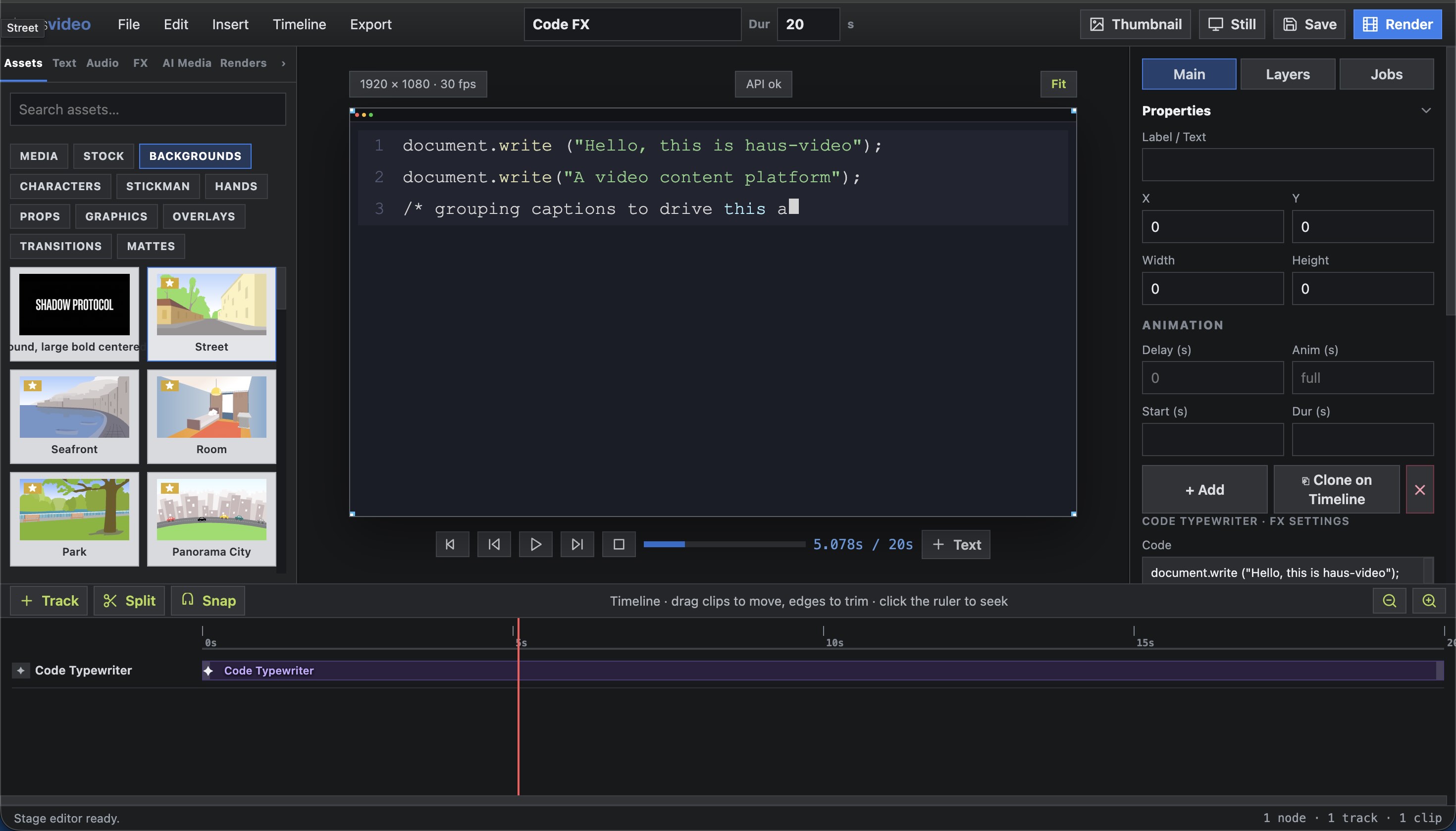
Slideshow Editor
Images, text, transitions, and audio composed on a timeline — the classic authoring surface behind every render.
Open walkthrough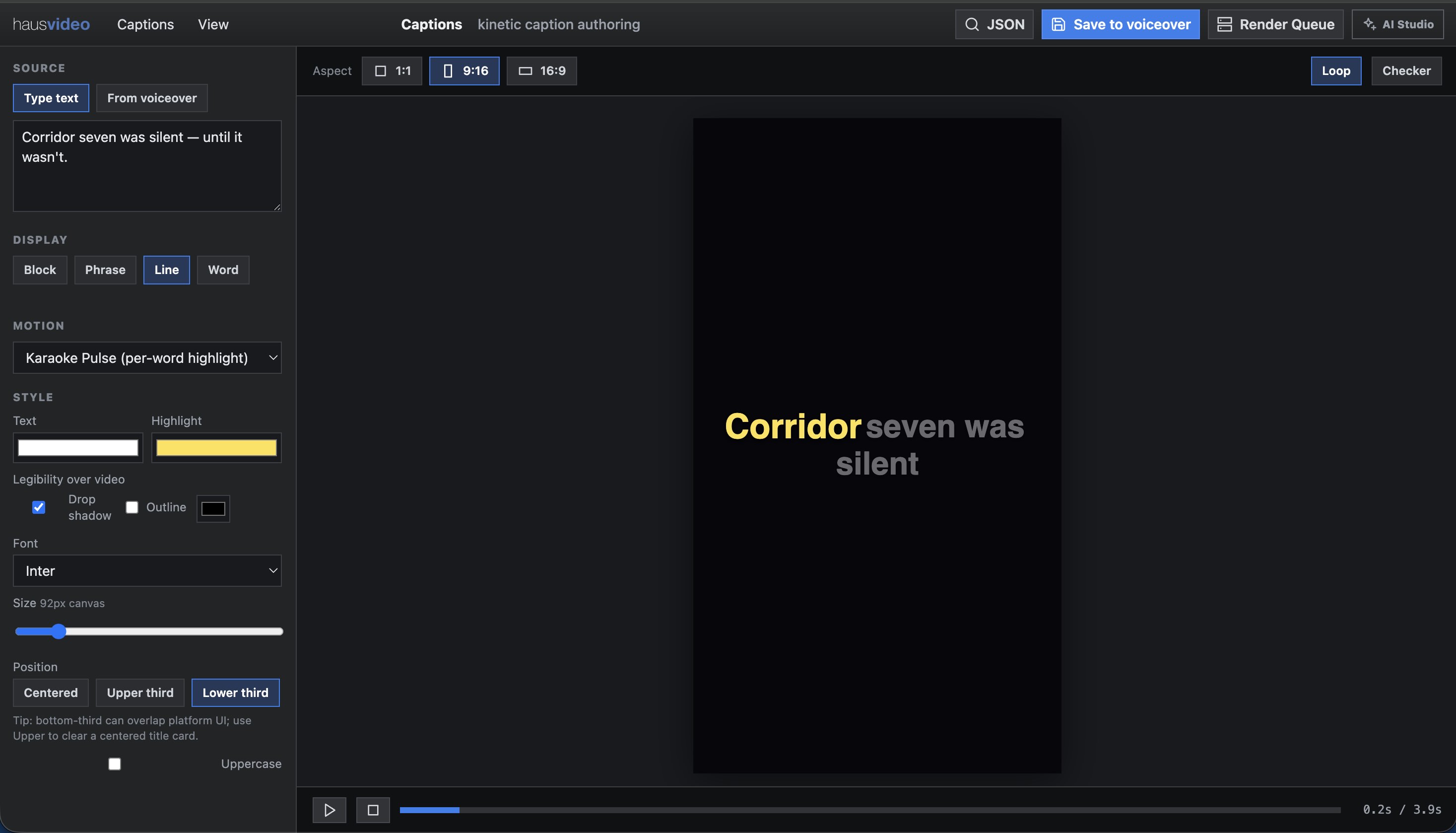
Captions Studio
Word-timed captions synced to voice, styled as a finishing typography layer over the reel stage.
Open walkthrough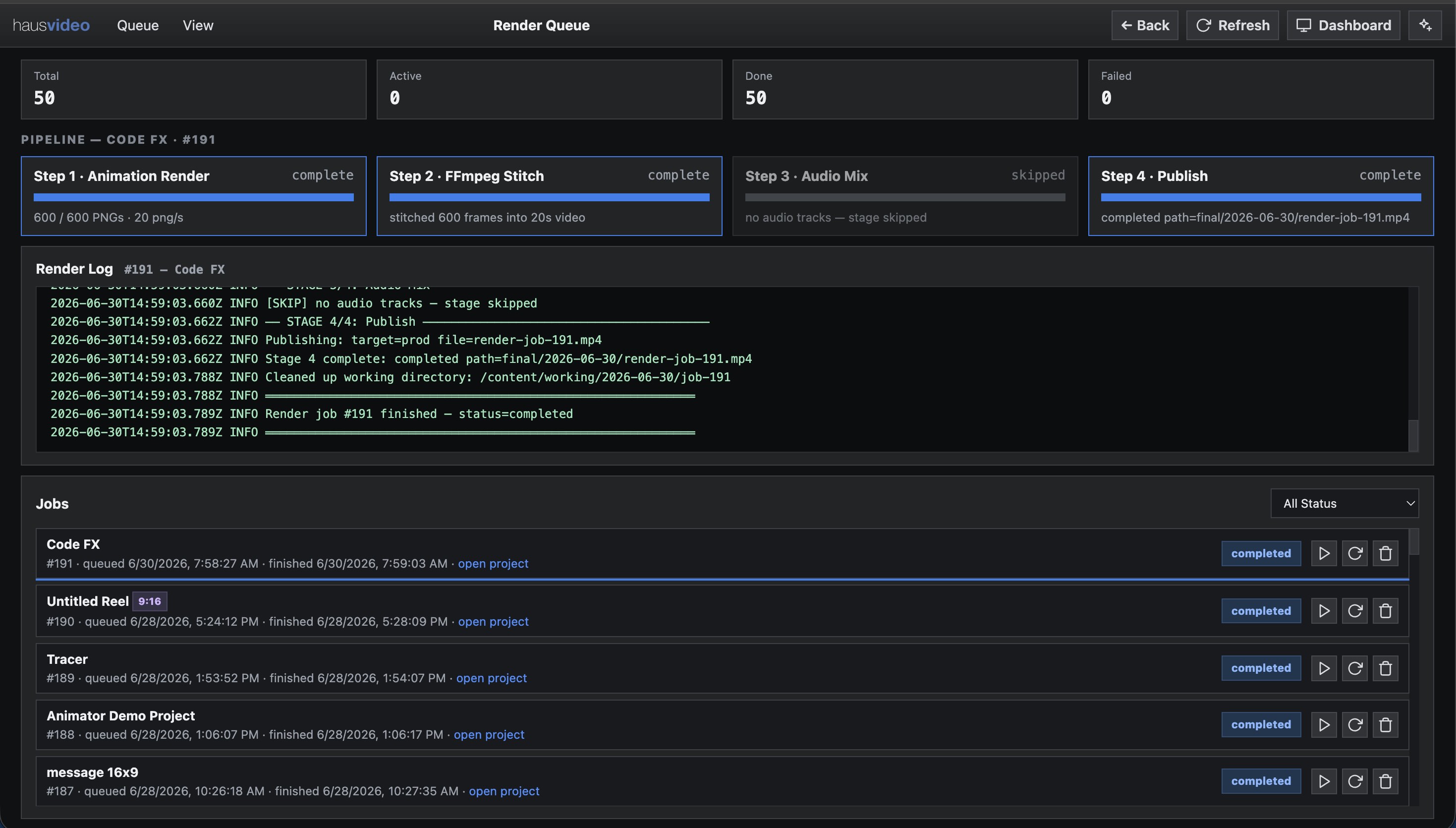
Render Queue
Frames to FFmpeg to publish — the four-stage pipeline with live progress, logs, and job history.
Open walkthrough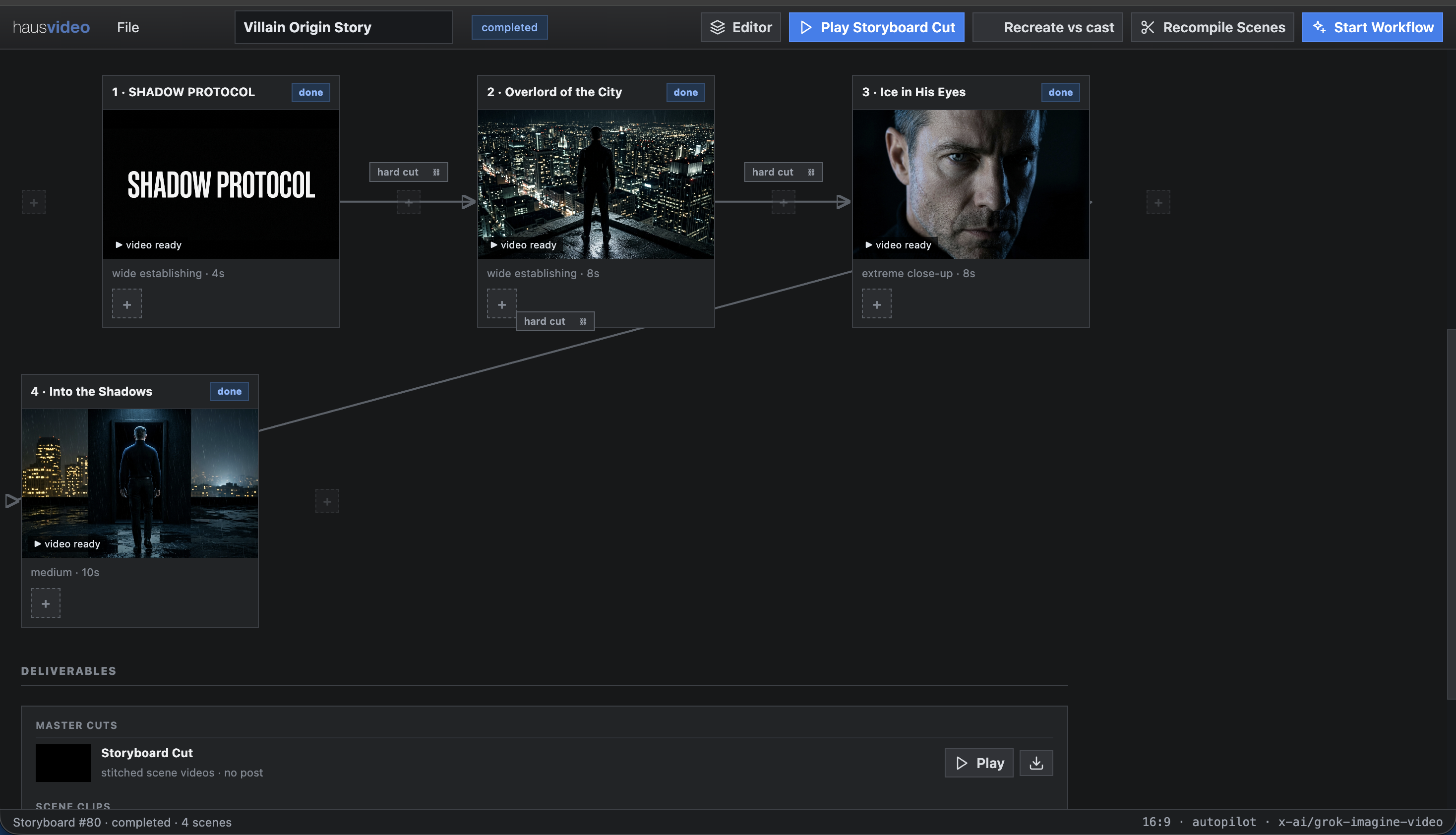
Map Mode
Storyboard a film as a scene map — brief, scene boxes, transitions, and continuity chains you review before anything renders.
Open walkthrough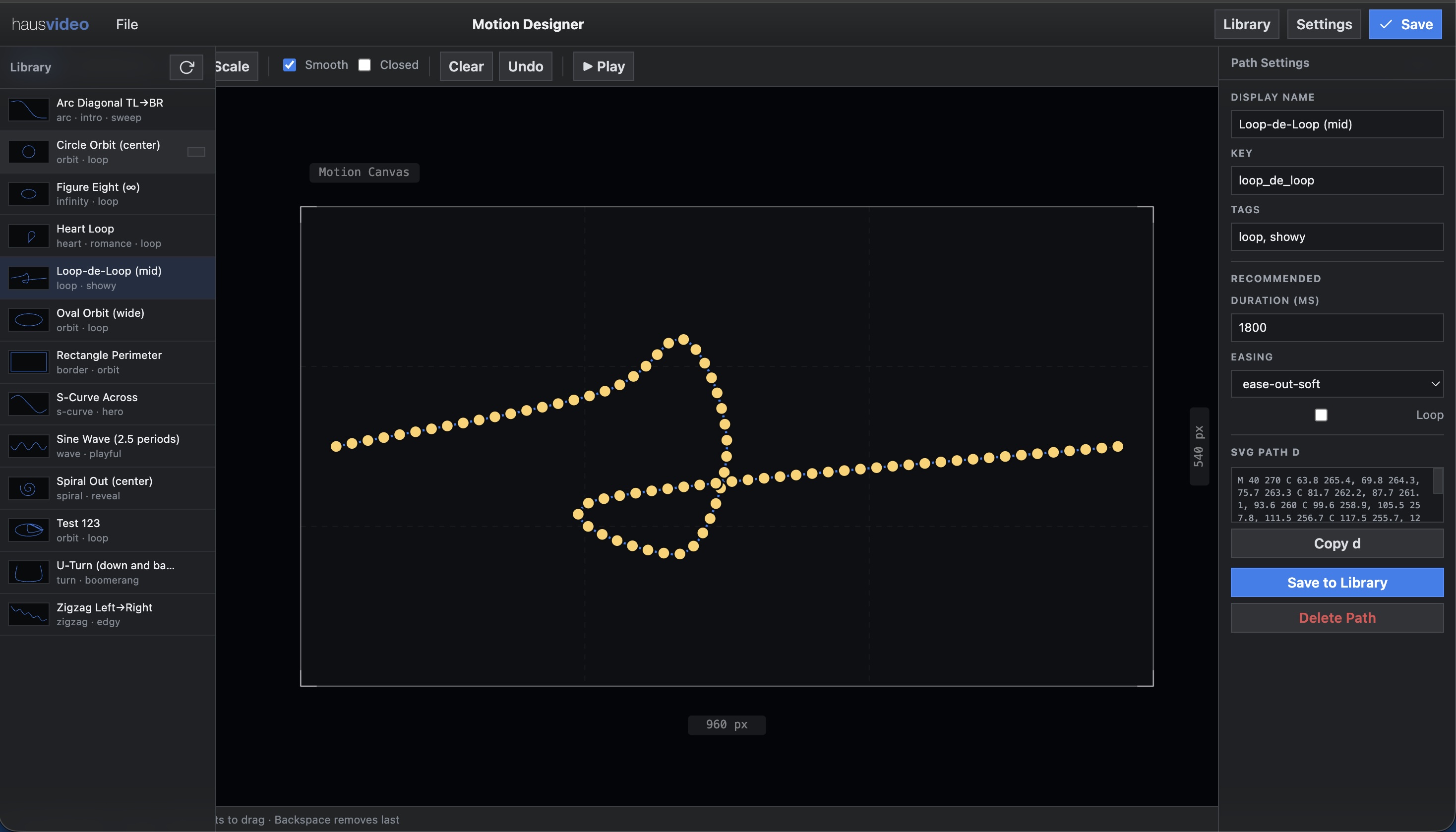
Motion Designer
Draw and save reusable motion paths, then attach them to any layer to drive custom on-screen movement.
Open walkthroughExplain it yourself
Record any flow once, edit it like a video, share a link — no login required to view.The Explainer — a walkthrough recorder & editor
A browser extension captures clicks and navigation on any site — not just haus video — as you walk through a flow. Advance Mode then lets you trim steps, rewrite labels and captions, set the zoom on each shot, and add a custom intro and end slide. Publish it and get a stable, unguessable link — a "Clickable Slideshow" anyone can step through, no login required.
- Chrome extension capture — any site, not just ours
- Advance Mode — remove/relabel steps, per-step zoom presets
- Custom intro & end slides, both real steps in the walkthrough
- One-click publish to a public, shareable link
Making your first slideshow
Start to finish: creating a new slideshow project and putting the first cut together.
Open walkthrough Live walkthroughAsset & Preview walkthrough
Browsing the asset library, previewing shared media, and bringing it into a project.
Open walkthroughOr render it as a narrated video
Instead of (or alongside) the Clickable Slideshow, the same walkthrough can render straight to an autoplay .mp4 — ElevenLabs reads the title, description, and every step's instruction aloud, the camera pans and zooms into each click target with a highlight ring, and each shot holds exactly as long as its narration takes. No editor round-trip: it's the same steps and edits already made in Advance Mode.
- ElevenLabs narration — pick a voice, generate per step
- Camera pans/zooms + click-target highlight, real video (not CSS)
- Shot duration driven by narration length, no manual timing
- Render queue with per-step caching — edit one step, re-render fast
Works on any app — here it's Haus App Annotator
This isn't a haus video walkthrough — it's the same Explainer pipeline pointed at Haus App Annotator, a completely different product. Capture, narration, and camera work all come from the extension recording; nothing here is specific to our own app.
- Extension capture works on any site or app
- Same ElevenLabs narration & camera pipeline, zero app-specific config
- Published as its own shareable walkthrough link
From the platform
Real videos — and how each one was made.Analysis → Ideation: a reimagined ad
Analysis Mode ingested an existing ad and produced a full report — color, pacing, and theme — pulled its assets, built a reusable style, and recreated a replica of the original. Then Ideation Mode generated the completely different video shown here: distinct from the source material, but true to its tone.
- Analysis Mode
- Ideation Mode
- Style Mode
- Storyboard (grouped clips)
- Sequence Mode — stitches storyboards into long-form & exports SRT, voiceover + captions as one NLE-ready package (or compiles in-platform)
- Dozens of Cast created
- Captioning
- Voice Over
Integration with other AI services
English → Italian lip-sync
Created in the platform, then re-voiced English to Italian: ElevenLabs kept the voice consistent, and the rendered cut was handed to Sync.so (SyncLabs) to re-sync the lips to the new language.
- Storyboard
- Cast / Avatar
- Voiceover
HeyGen avatar — Cast-driven
Our Cast system drives HeyGen: we send our own avatars, then create and sync them on the platform, pulling consistent “looks” from each cast member's internal library.
- Cast
- Avatar “looks” library
HeyGen avatar — Italian voice
The same Cast-driven HeyGen pipeline, voiced with an Italian HeyGen voice — the avatar's look stays synchronized from our cast's internal library.
- Cast
- Avatar “looks” library
HeyGen avatar — ElevenLabs voice
A Cast-driven HeyGen avatar voiced with a custom ElevenLabs voice — combining HeyGen's delivery with full control over the audio performance.
- Cast
- Voiceover
FX & Motion Graphics
Code Typewriter FX
Types code onto the screen character by character to simulate live code generation — perfect for YouTube coding tutorials and explainer videos.
- FX package
- Code Typewriter effect
- Storyboard
Code Typewriter FX:UI Admin Authoring
How it looks in the UI authoring controls. Smooth playback and real time controls demonstrate how smooth the system is. This is what turns into a final h.264 MP4 video.
This is one of the FX available to use.
Villain — iMessage chat scene
Built on our Cast / Avatar system so the character stays consistent shot to shot, with a Motion FX overlay from our FX package that simulates an iMessage chat session.
- Cast
- Ideation
- Storyboard
- Map Mode
- Motion Graphics
Tracing Reveal FX
A hand traces along a path to reveal artwork or text stroke by stroke — one of the animated reveals in our FX package.
- FX package
- Motion paths
- Storyboard
Automation Factory
Editorial Board — landscape
Auto topic generation: from a single prompt, the Editorial Board plans and produces hundreds of videos across a subject. Here's a 16:9 landscape cut.
- Captioning
- Avatar
- Style system (1940s/1950s Sears Catalog)
- Storyboard
- Google Sheet integration
Editorial Board — vertical
The same one-prompt Editorial Board pipeline in 9:16 vertical — an entire content calendar of videos generated from a single subject.
- Captioning
- Avatar
- Style system (1940s/1950s Sears Catalog)
- Storyboard
- Google Sheet integration